

monday.com, also known as work management, is a popular project management platform recognized for its visually intuitive interface. It also features no-code automation and colorful templates to help beginners set up their project boards quickly. But does it live up to the hype? In this hands-on monday.com review, I’ll walk you through my experience to see how well it holds up in meeting project management demands for teams of all sizes.
| monday.com | monday’s highly visual project management platform enables teams to manage projects, assign deadlines, manage team workloads, and collaborate all within one intuitive, easy-to-set-up application. |
| Key Features | •Premade templates •Customizable columns and fields •Numerous views to choose from |
| Native Integrations | 200+ integration options |
| Pricing | Free plan includes: up to 3 boards, 2 users, 500MB storage, unlimited documents Pricing: Four price tiers, ranging from free to $19 per user, per month. |
1.Setup and getting started with monday.com
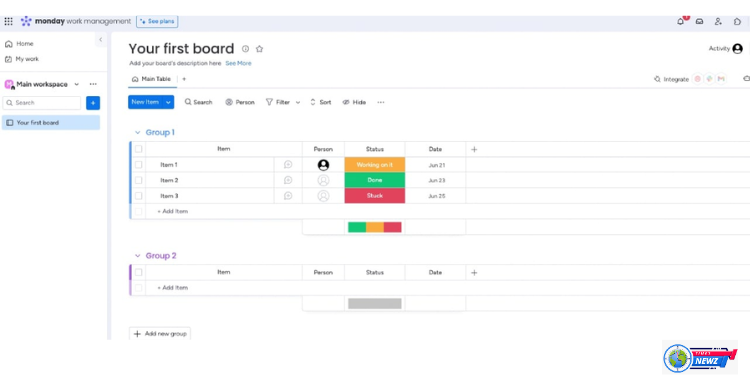
When you initially set up an account with monday.com, you are asked a series of questions to personalize your experience, including how you plan to utilize monday.com, how many employees your team has, and what industry you work within. The process took me under five minutes to complete. Once you have created your account, you are sent to your monday.com project dashboard for the first time, which includes a pre-established project with 3 columns to fill in tasks (shown below).
The view from the start page after creating a monday.com account.
As far as onboarding goes, I found monday work management to be extremely user-friendly for a new project management solution. For new users, having a pre-established setup ahead of time makes it easy to understand what items should go under which fields, making the overall setup experience more approachable.
When it comes to importing data from Excel, Google Sheets, or even other project management software, monday.com makes it easy with a simple three-step process. For users looking to add multiple projects or integrate workflow automations, pre-made templates make setup extremely approachable.
Whether you’re setting up project boards, assigning tasks, or collaborating with teammates, monday.com offers users an extremely easy-to-use software experience overall. Again and again, I was impressed with monday’s intuitive interface, which is apparent from the earliest stages of the setup process. Colorful column labels make it easy to differentiate various task labels and categorizations visually, and it’s easy to learn how to add project elements or new view types. These functions are clearly labeled and visible from the project dashboard. Overall, most features on monday.com only require a few clicks to set into action, with drag-and-drop functionality for rearranging columns and tasks.
2. Premade templates make setup quick.
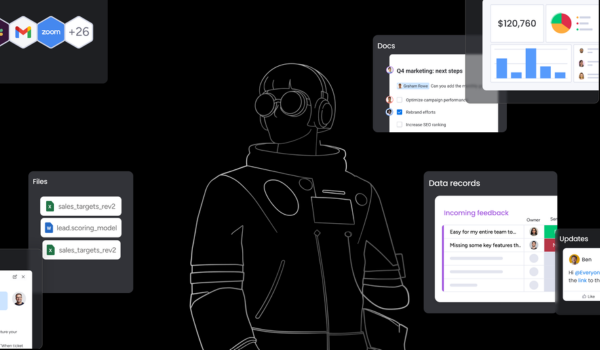
For users who are new to monday.com, or anyone who is looking to streamline the onboarding process, monday.com offers numerous project and automation templates for easy setup. The templates are customized by industry and intended use, providing value for teams of all sizes and backgrounds.
monday.com’s security features are modeled after industry best practices in data security, specifically such as ISO 27001, ISO 27018, and OWASP Top 10. While its systems are hosted via multiple availability zones at Amazon Web Services (AWS), some of monday.com’s in-app security features include:
Available HIPPA-compliant plan (Enterprise plan only)
Firewalls for enforcing IP whitelisting and access through permitted ports only to network resources
A web application firewall (WAF) for content-based dynamic attack blocking
DDoS mitigation and rate limiting
NIDS sensors for early attack detection
Advanced routing configuration
Comprehensive logging of network traffic, both internal and edge
Traffic is encrypted using TLS 1.3 with a modern cipher suite, supporting TLS 1.2 at minimum
User data is encrypted at rest across our infrastructure using AES-256 or better
Credentials are hashed and salted using a modern hash function
3. Customizable options for everyone.
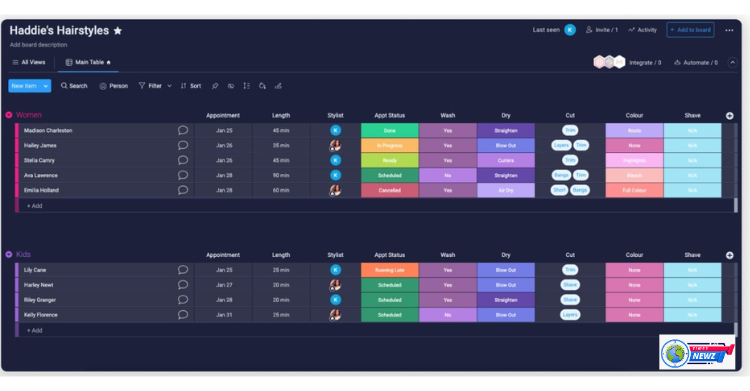
Across the platform, monday.com offers numerous customization options for users to design their optimal workspace. Within the project dashboard, users can customize the task column tags and colors, as well as the color of the background overall (light, dark, or night mode). Fair warning, the number of options available can be overwhelming. I suggest using monday’s defaults until your team is more familiar with monday’s overall workflow.
Dashboards allow users to view status overviews, calendar views, chart insights, resource management metrics, tasks across boards, and time tracking all in one cohesive dashboard visualization. This is especially useful to larger teams who may be managing numerous projects and team members.
Flexible, configurable dashboards present information in the ways most useful to you.
4. The monday.com API facilitates even the most complex connections and integrations.
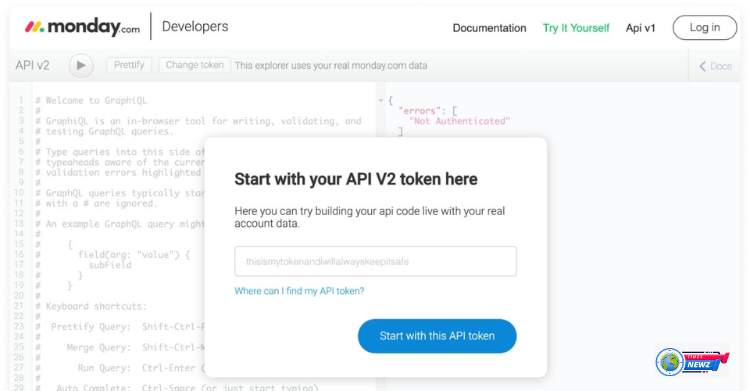
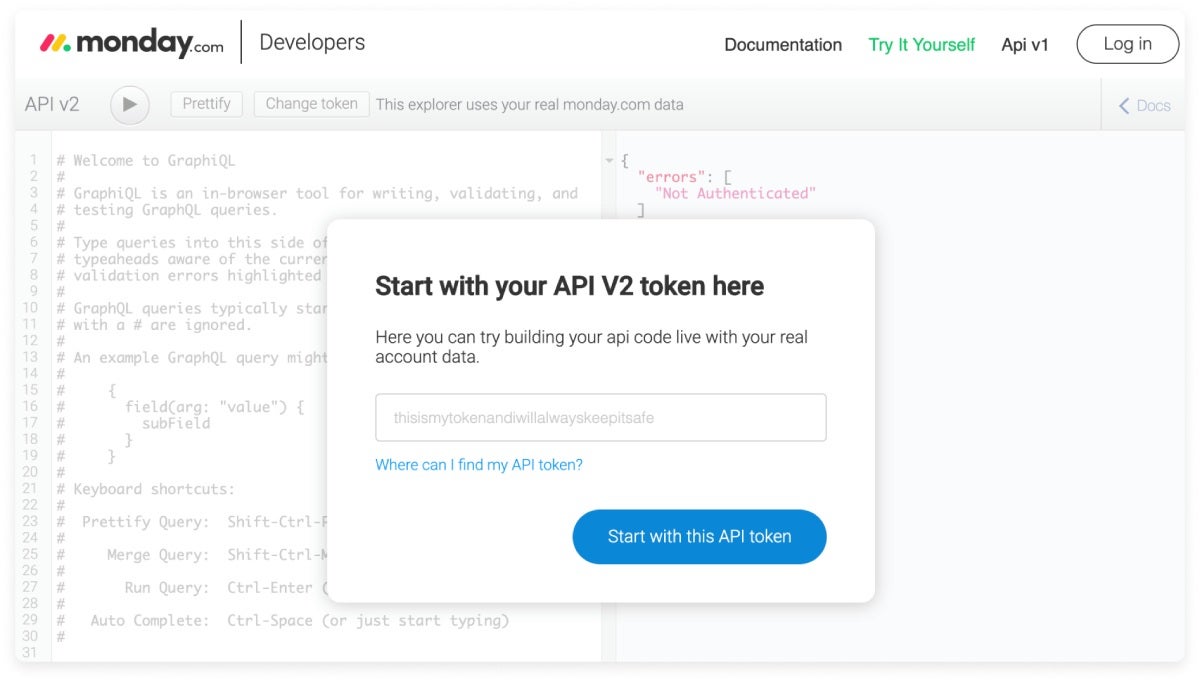
monday.com API (application programming interface) \allows users to develop their own tools and extend the capabilities of the application. For example, users can utilize API to sync data between monday.com and other platforms, access board data to render custom reports in-app, and more. This feature is available to all users, regardless of subscription plan type.
Fair warning, however, that the API does require some knowledge of coding. That said, monday’s got so many native integrations already built out that most teams will never have to peer under the hood.
For teams looking to collaborate on projects and tasks, monday.com offers numerous ways to foster collaboration and in-app communication. Within the project dashboard, team leaders can assign tasks to specific team members, track task progress, view team member online and offline statuses, comment and tag users within tasks, and more.
Automations free users from repetitive & error-prone work
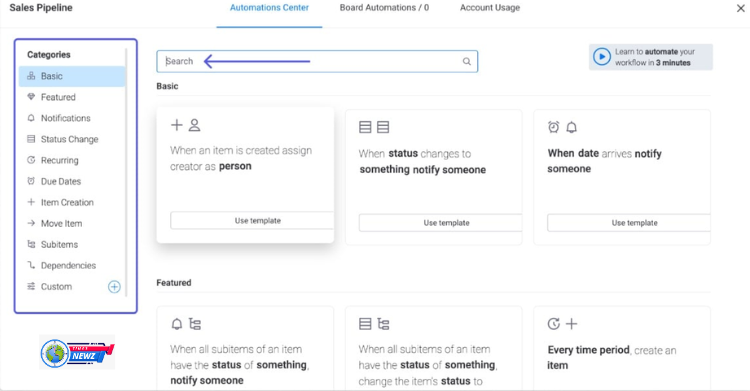
Workflow automations help speed up everyday work processes and automate repetitive tasks. monday.com offers users a comprehensive database of automation templates for various uses, which makes it easy to get started. For more experienced users, the fill-in-the-blank style automation setup allows users to customize automations and create their own, based on task movement, status, updates, and more.
Integrations connect monday with your mission-critical systems.
Integrations make it easy to make the most out of monday.com as a one-stop-shop solution and incorporate the other apps you rely on in your daily workflow. monday.com offers users more than 50 integration options, such as Google Drive, Asana, Dropbox, Githuib, Trello, Hubspot, and more.
monday.com offers users a variety of support options for learning more about how to use the software and troubleshooting potential problems, such as:
- Self-guided knowledge base
- Video tutorials
- Solutions
- Community form
- 24/7 live chat
While getting acquainted with monday.com, the self-guided knowledge base stuck out to me as an especially helpful resource for new users, as the guide walks you through each step of the process with screenshots included. The monday.com also manages a YouTube channel where you can explore educational content and new features and updates.